REST service and web access
The server's REST service that every client uses: switching it on, port, HTTPS, reverse proxy and trusted proxies, and the optional web client.
| At a glance | |
|---|---|
| Service | built into the Siwenoid server |
| Configuration | in the server's config.xml |
| Default port | 8080 (TCP) |
| HTTPS | with a PEM certificate and key |
| Used by | desktop clients, web client, the other server of a hot standby pair |
The Siwenoid server has a built-in REST service: an HTTP or HTTPS interface on one TCP port. Every desktop client talks to the server only through it, and so do the optional web client and the other server of a hot standby pair. Without the REST service no client can log in.
Switching it on
The REST service runs when the server's configuration (C:\ProgramData\Siwenoid\ServerConfig\config.xml, see Configuration files) has a <REST> element inside <Services>:
<Services>
  <REST port="8080"/>
</Services>
The installer writes this element into a new server configuration, and Update adds it to a configuration that lacks it. Restart the server after changing the element.
To check the service, look at the server window: the REST service must be Running. Then open this address in a browser on a client computer (with your server's address and port):
http://<server>:8080/api/v2/health
A running service answers with a short text containing "isalive": true. If nothing answers, see Troubleshooting.
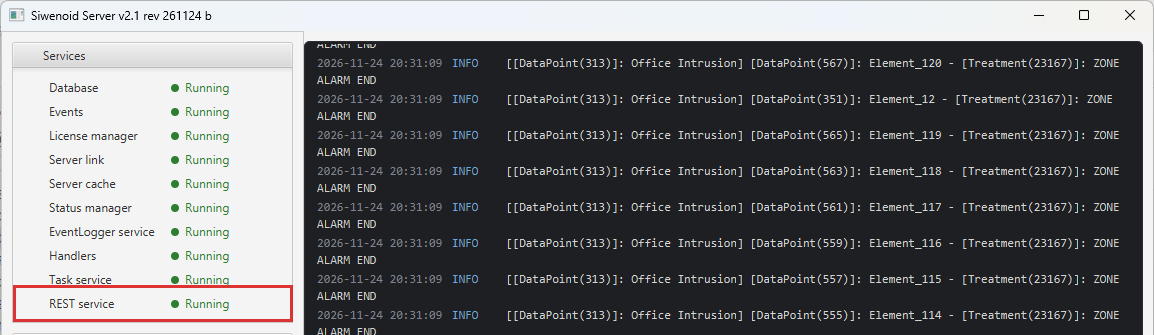
The REST service running in the server window.
Settings
The attributes of the <REST> element:
| Attribute | Meaning | Default |
|---|---|---|
port |
The TCP port of the service. | 8080 |
ssl-certificate |
Path of the server certificate (PEM file). With ssl-certificate-key it switches HTTPS on. |
none (HTTP) |
ssl-certificate-key |
Path of the certificate's private key (PEM file). | none |
jwt-secret |
Secret used to sign the sign-in tokens, at least 32 characters. | a random one at every start |
access-ttl-ms |
Lifetime of a sign-in token, in milliseconds. | 900000 (15 minutes) |
refresh-ttl-ms |
Lifetime of the token with which a signed-in client renews its sign-in, in milliseconds. | 604800000 (7 days) |
trusted-proxies |
Addresses of reverse proxies whose forwarded client address the server accepts (comma separated). | none |
cors-origins |
Web addresses (origins) allowed to call the service from a browser, when the web client is served from another address. | none |
Set jwt-secret to a fixed value of random characters (for example 64). Without it the server makes a new secret at every start, and every web user has to sign in again after a server restart. Treat the value like a password. In a hot standby pair, use the same value on both servers, so that a web user's sign-in stays valid after a failover.
Port
The default port is 8080. If you change it:
- Change
portin the server's<REST>element. - On every client computer, set the same port in the client configuration:
<RestClient port="8443"/>(see Configuration files). Without this element the client uses port 8080 and HTTP. - Open the port in the firewall of the server computer.
- Restart the server and the clients.
Only the operator network and, in a hot standby pair, the other server need to reach this port. Do not expose it to the internet or to untrusted networks.
HTTPS
Use HTTPS when the network between the clients and the server is not fully trusted.
-
Get a certificate for the server's name or address, with its private key, in PEM format.
-
Copy the files to the server computer and set both attributes:
<REST port="8080" ssl-certificate="C:/certs/server.pem" ssl-certificate-key="C:/certs/server.key"/> -
On every client computer set
<RestClient https="true"/>(withportif it is not 8080). -
The client computers must trust the certificate: a certificate from a private certificate authority needs that authority in the Windows certificate store of each client computer.
-
Restart the server and the clients, and check
https://<server>:8080/api/v2/healthin a browser.
If only one of the two attributes is set, the service stays on HTTP and the server log says so. A renewed certificate file is picked up without a restart. Both servers of a hot standby pair must use the same port and the same HTTP or HTTPS setting.
Behind a reverse proxy
When a reverse proxy on the same computer (for example the web server of the web client) forwards requests to the REST service, the server sees the proxy's address instead of the user's. To record the real address of web users in the event log and the licence seat list, name the proxy:
<REST port="8080" trusted-proxies="127.0.0.1,::1"/>
List only proxies you control. For a proxy on another computer, give its address. The desktop clients connect to the REST port directly and do not need a proxy.
Web client
A browser-based client is available as a separate delivery from Siwena; it is not part of the installer. It is usually installed on the server computer with its own small web server, which serves the web pages and forwards the API requests to the local REST service. Its installation package describes the steps.
What the engineer has to know:
- The web server listens on its own port (for example 80 or 8081). Open that port for the users of the web client. The REST port itself does not have to be reachable from their computers.
- Because the pages and the API come from the same address, no
cors-originssetting is needed. Add thetrusted-proxiessetting described above. - For HTTPS, put the certificate on the web server in front.
- Live alarms reach the browser over long-lived connections. A proxy between the browser and the server must not buffer them or cut them after a timeout.
- Web users are the same users as on the desktop (see Users and groups); their permissions and restrictions apply.
- A web sign-in takes a licence seat, just like a desktop client. The seat is freed when the user logs out, or after 10 minutes without activity. When every seat is taken, the sign-in is refused; in a hot standby pair the serving server decides. The seats in use, desktop and web, are listed in File › Settings › Support › License informations (see Support tools).